HotWaterSupply
Symbol | 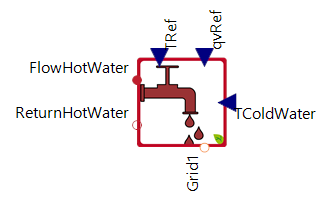 |
|---|
Use
The HotWaterSupply model corresponds to that of a hot water tap and is used for modeling the domestic hot water demand in buildings.
Parameters and Connectors
The HotWaterSupply model must be connected to the hot water supply via ▶FlowHotWater and ▶ReturnHotWater. The temperature of the hot water drawn off and its flow rate are defined via connections ▶TRef and ▶qvRef. The temperature of the cold water supplied is also defined via a connection (▶TColdWater).
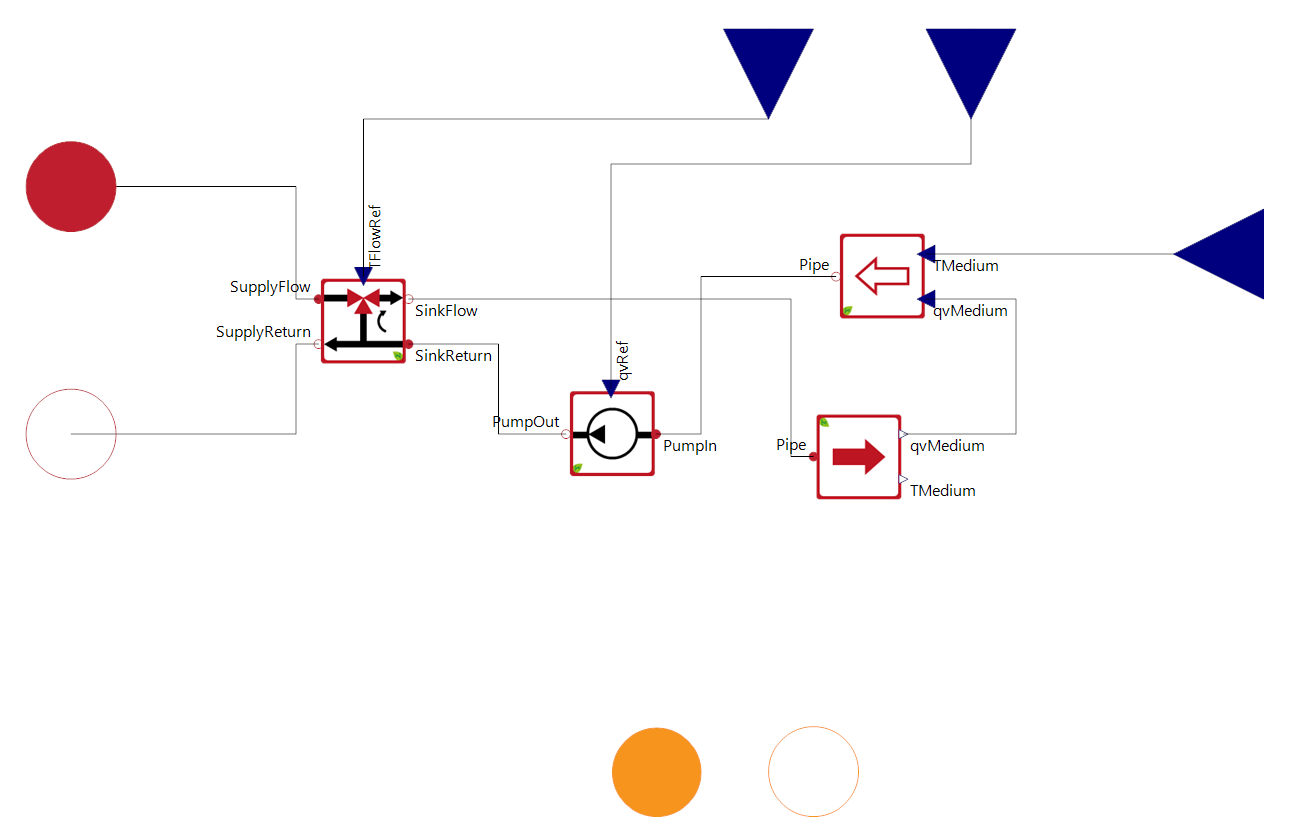
Internally, the model uses a Pump and a HydraulicValveFlow to regulate the desired withdrawal temperature. It should be noted that this temperature must always be less than or equal to the temperature at the hot water inlet.
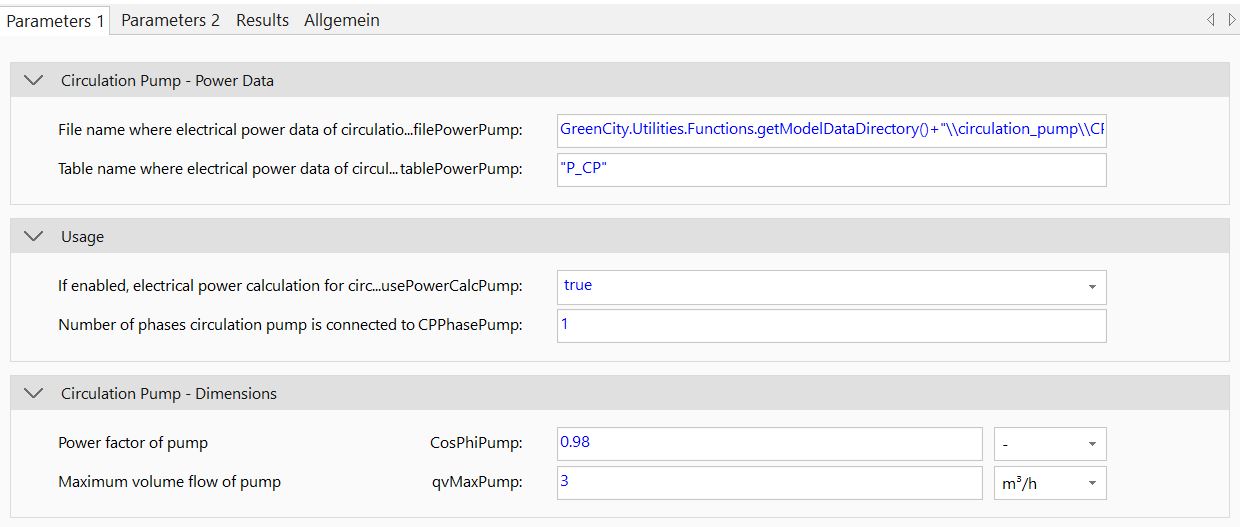
The parameters for the electrical consumption of the pump must then be set in the parameter dialog. These include the file path (filePowerPump), the table name (tablePowerPump), the phase (CPPhasePump) and the power factor (CosPhiPump). A detailed explanation can be found in the documentation for the pump model. The maximum volume flow (qvMaxPump) of the pump must also be set accordingly. It should be noted that the usage of ▶qvRef is limited by this parameter.
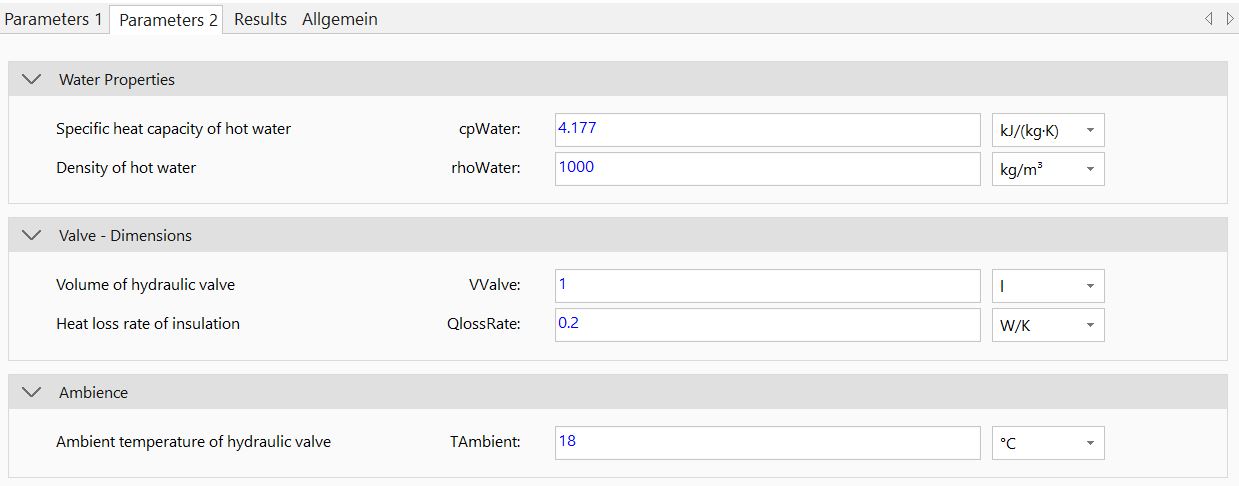
The parameters for the internal control valve (cpWater, rhoWater, VValve, QlossRate and TAmbient) must also be set. A detailed description of the parameters can be found in the HydraulicValveFlow model documentation.
Model Background
The internal structure of the model is shown in the following illustration.